

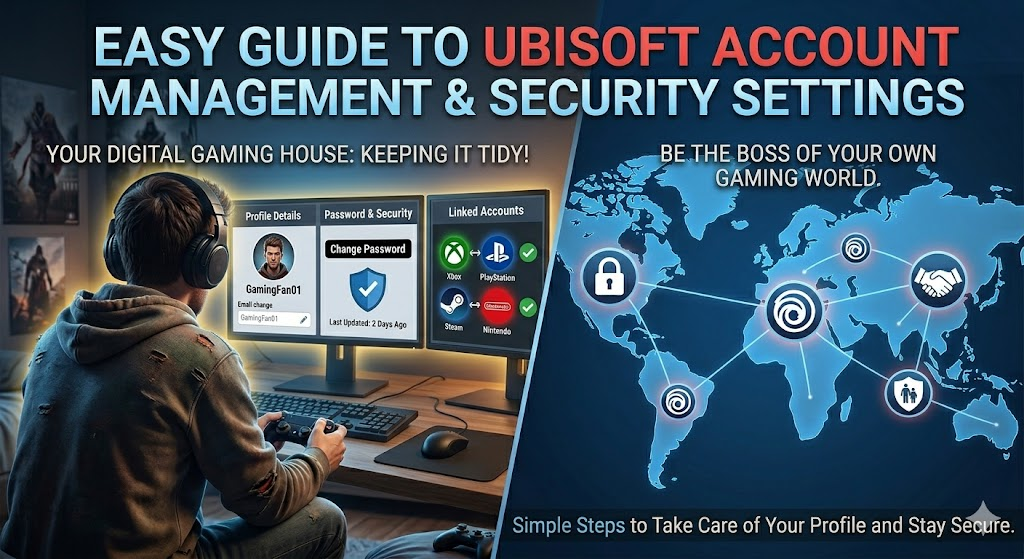
Playing games like Assassin’s Creed or Rainbow Six is super fun. But to play online and save your progress, you need a special profile. That is where Ubisoft Account Management comes in handy. It is your personal control panel for all things Ubisoft.
Think of it as your digital gaming house. You need to keep the door locked and your room tidy. Managing your profile lets you do just that. You can change your password, update your email, and connect with your friends.
Let us walk through how to take care of your profile. We will use simple steps so you can be the boss of your own gaming world.
Why Your Profile Dashboard Matters
Your main hub holds all your important details. Good ubisoft account management keeps your games safe. When you log into the website, you see your personal info and security status right away.
I remember losing access to my favorite game years ago because my old email was outdated. It was a big headache! Taking five minutes to check your details prevents that stress.
Your dashboard is where you prove who you are. If you ever need help from support, having correct info speeds things up. Check your page once a month to make sure everything is fresh and correct.
How to Log In and Access Your Settings
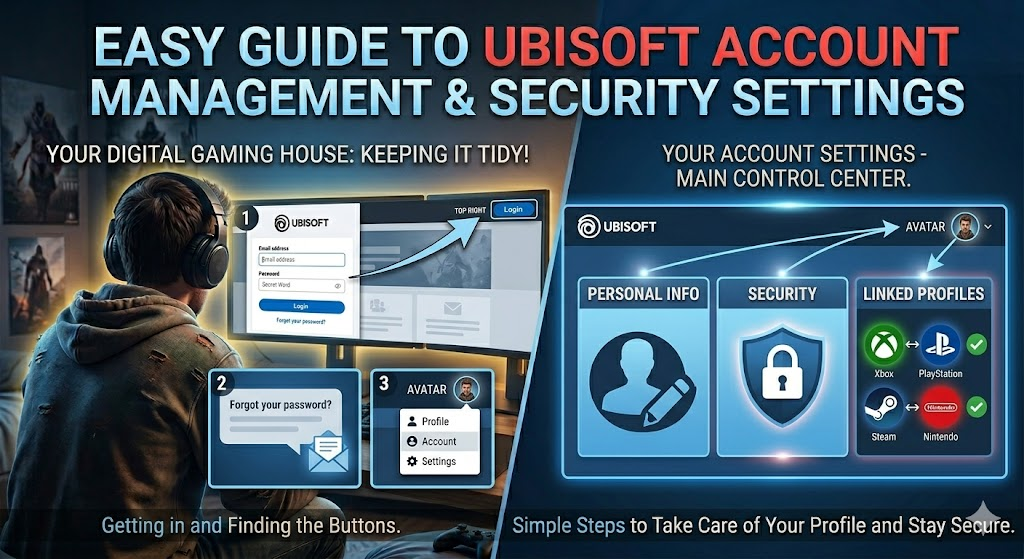
Getting into your portal is very easy. First, go to the official website. Click the login button at the top right corner. Type in your email and secret word.
If you forgot your secret word, just click the “Forgot your password?” link. The system will send a special message to your email to help you make a new one.
Once you are inside, click on your avatar to open the settings page. This is the main control center. You will see tabs for personal info, security, and linked profiles. Take a quick look around to get familiar with the buttons.
Updating Your Personal Information
People change their email addresses all the time. You might also want to change your display name. ubisoft account management makes this simple to do.
Go to the Account Information tab. Here, you can edit your name, email, and date of birth. Just click the little edit pencil next to the detail you want to change.
Remember, you cannot change your display name every single day. There is usually a cooldown timer, like once every thirty days. Pick a fun name you really like so you do not want to change it right away.
Keeping Your Profile Safe with Security Steps
Online safety is super important. You do not want bad guys stealing your games. ubisoft account management offers a great tool called two-step verification.
When you turn this on, the system sends a special code to your phone when you try to log in. Even if a hacker guesses your password, they cannot get in without that phone code.
It takes two minutes to set up. You can use an app on your phone or get a text message. Always choose the app method if you can, as it is extra safe and fast.
Linking Your Consoles and PC Platforms
Do you play on PlayStation, Xbox, or Steam? You need to connect those devices to your profile. This lets you play with friends on different systems.
In your dashboard, look for the Linked Accounts tab. You will see icons for different gaming networks. Click the connect button under the logo of your gaming system.
Follow the pop-up window to sign into your console profile. Once connected, your games can share progress. It is magic! Just be careful not to link the wrong profile by mistake.
Checking Your Recent Login History
Are you worried someone else might be using your gaming profile? You can act like a detective. ubisoft account management lets you see who logged in and from where.
Scroll down to the security section on your dashboard. You will see a button for login history. Click it to see a list of dates, times, and country locations.
If you see a city you do not recognize, change your secret word right away. Also, log out of all devices using the master log-out button. This kicks everyone else out instantly.
Managing Your Privacy and Data Choices
We all care about our private data. Ubisoft lets you choose what happens to your info. You can view your privacy settings inside your hub.
You can choose if you want to get marketing emails or news about new games. You can also ask for a copy of your personal data if you are curious about what they save.
Keeping your data private means less spam in your inbox. Uncheck the boxes for extra emails if you just want to play games without the extra noise.
Troubleshooting Common Access Issues
Sometimes, tech can be tricky. You might get an error when trying to log in. Do not panic! Most issues have an easy fix.
First, check if your web browser is blocking scripts. Make sure JavaScript is turned on. You can also try clearing your browser cache or using a different web browser.
If you are not getting verification emails, check your spam folder. Sometimes, the messages hide in there. If nothing works, reach out to the help desk for assistance.
Best Tips for Smooth Gaming
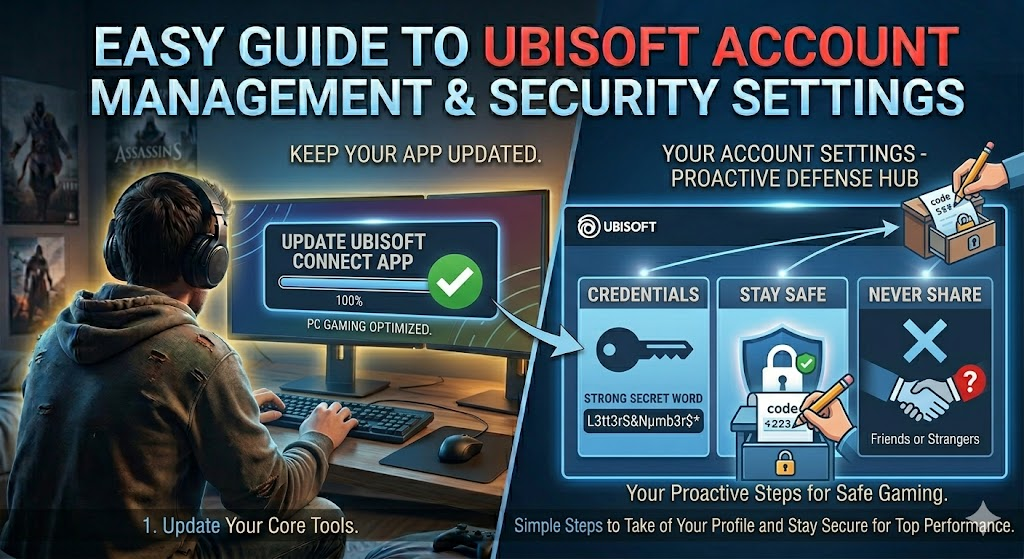
To get the best experience, keep your app updated on your PC. The app is called Ubisoft Connect. It links directly to your profile hub.
Always use a strong secret word that uses letters, numbers, and symbols. Write it down on a piece of paper and keep it in a safe spot at home.
Never share your login details with friends or strangers. Keeping your details to yourself is the number one rule of safe gaming online.
Conclusion
Taking charge of your profile does not have to be scary. With proper ubisoft account management, your gaming world is safe and ready for fun.
Now it is your turn to take action! Log into your dashboard today. Turn on that extra security step and make sure your email is up to date.
Did this guide help you fix your profile? Leave a comment below and tell me your favorite game to play!
Frequently Asked Questions
How do I reset my password for my profile?
Go to the login page and click “Forgot your password?”. Type in your email address and hit submit. Check your email inbox for a special link to create a new secret word.
Can I change my username on my profile?
Yes, you can change your display name in the Account Information tab. Note that you can only change it once every thirty days, so pick a good one.
How do I turn on two-step verification?
Go to the security tab in your dashboard. Click activate under the two-step verification option. Choose to get codes via email or an authenticator app on your phone.
How do I link my PlayStation or Xbox profile?
Log into your dashboard and find the Linked Accounts tab. Find your console logo, click link, and follow the steps to sign into your console network.
What should I do if my account gets hacked?
Change your secret word immediately and check your login history to log out all devices. If you cannot log in, contact support right away to lock the profile.
Is it safe to link my Steam profile?
Yes, it is safe and allows for cross-play features. Just make sure you are linking your own personal Steam profile and not someone else’s.
Detailing Table
| Feature / Task | Where to Find It | What It Does |
| Personal Info | Account Information Tab | Lets you edit your name, email, and birthday. |
| Password Reset | Login Page Link | Sends a recovery link to your email inbox. |
| Security Setup | Security Tab | Turns on phone codes to stop hackers. |
| Console Link | Linked Accounts Tab | Connects Xbox, PlayStation, or Steam profiles. |
| Login Check | Security Tab | Shows a list of recent logins and locations. |
| Data Privacy | Privacy Settings | Lets you turn off spam emails and view your data. |
