


Microsoft Power Automate aik powerful automation tool hai jo individuals aur businesses ko repetitive tasks automate karne mein madad karta hai. Chahe aap beginner hon ya advanced user, power automate login process samajhna bohat zaroori hai, kyun ke yahi se aap apne workflows, integrations, aur cloud-based automations ko manage karte hain.
Is detailed guide mein hum Power Automate login ka complete process, common issues, security tips, features, aur best practices cover karenge taake aap is platform ko confidently aur securely use kar saken.
What Is Power Automate Login and Why It Matters
Power Automate login ka matlab hai Microsoft account ke zariye Power Automate platform par secure access hasil karna. Ye access aap ko cloud flows, desktop flows, connectors, aur approvals jaise advanced automation tools tak pohanch deta hai.
Login ka process sirf entry point nahi balkay aap ke automation environment ki security aur performance ka foundation hota hai. Agar login sahi tareeqay se manage na ho to workflows fail ho sakte hain ya unauthorized access ka risk hota hai.
How Power Automate Login Works
Power Automate Microsoft ecosystem ka hissa hai, is liye iska login system Azure Active Directory aur Microsoft account authentication par based hota hai.
Login Process Overview:
- Microsoft Power Automate official platform open karein
- Microsoft account ya work/school account select karein
- Credentials enter karein
- Two-factor authentication (agar enabled ho) complete karein
- Power Automate dashboard access ho jata hai
Ye process ensure karta hai ke sirf authorized users hi automation resources tak pohanch sakain.
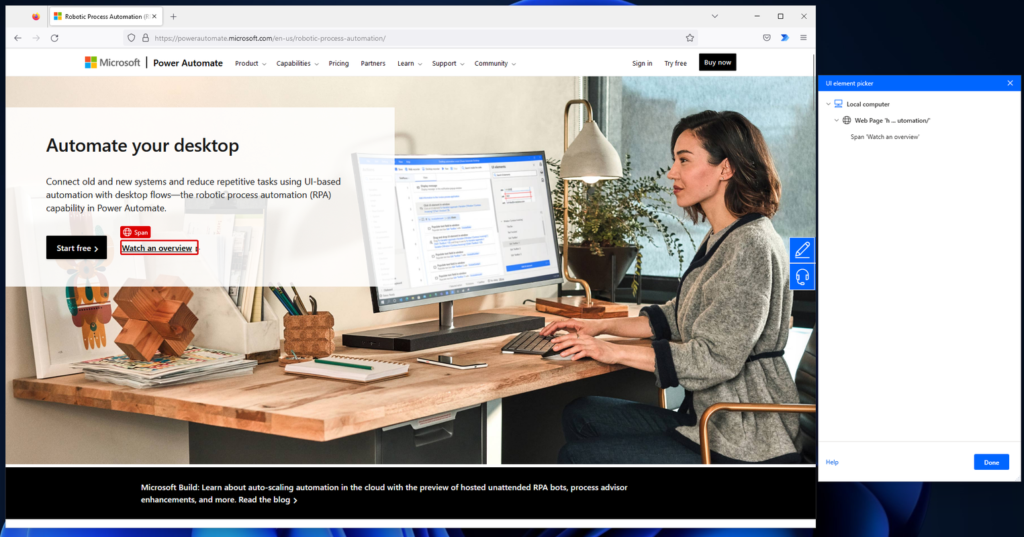
Power Automate Login Using Microsoft Account
Agar aap personal user hain, to Power Automate login Microsoft account ke zariye hota hai. Is method ka faida ye hai ke aap Outlook, OneDrive, aur Microsoft Teams ke sath easily integrate kar sakte hain.
Microsoft account se login karne par:
- Cloud flows easily accessible hotay hain
- Personal productivity automate hoti hai
- Free aur premium plans ka access milta hai
Power Automate Login for Work or School Accounts
Organizations zyada tar Power Automate ko work ya school accounts ke sath use karti hain. Is login type mein advanced controls hotay hain jaise role-based access aur environment management.
Work account ke sath:
- Team workflows manage hotay hain
- Data loss prevention policies apply hoti hain
- Enterprise-level security milti hai
Ye option businesses ke liye ideal hota hai.
Common Power Automate Login Issues and Solutions
Kabhi kabhi users ko login ke waqt issues ka samna hota hai. Neechay kuch common problems aur unke solutions diye gaye hain:
Incorrect Credentials
Aksar issue wrong email ya password ki wajah se hota hai. Credentials carefully check karein.
Account Permission Issues
Agar aap organization ke member hain, to admin se verify karwain ke Power Automate license assign hai ya nahi.
Browser Compatibility
Old browser versions kabhi kabhi login errors cause karte hain. Updated browser use karein.
Multi-Factor Authentication Errors
Authenticator app ya SMS code sahi time par enter na karne se login fail ho sakta hai.
Security Best Practices for Power_Automate Login
Secure login automation ka sab se important hissa hai. Neechay kuch best practices follow karni chahiye:
- Strong aur unique password use karein
- Two-factor authentication enable rakhein
- Public devices par login avoid karein
- Regularly account activity review karein
- Phishing emails se bachain
In steps se aap ka Power Automate environment safe rehta hai.
Power Automate Login and Dashboard Overview
Login ke baad aap Power Automate dashboard par land karte hain jahan se aap:
- New flows create kar sakte hain
- Existing workflows edit kar sakte hain
- Templates browse kar sakte hain
- Connectors manage kar sakte hain
Dashboard ka clean interface beginners aur professionals dono ke liye user-friendly hota hai.
Features Accessible After Power_Automate Login
Power Automate login ke baad aap ko multiple advanced features milte hain:
Cloud Flows
Automated, instant, aur scheduled flows create karne ki facility.
Desktop Automation
Power Automate Desktop ke zariye legacy applications automate kar sakte hain.
Connectors
Hundreds of built-in connectors jaise SharePoint, Excel, Gmail, aur Salesforce.
Approvals
Approval workflows create kar ke decision-making automate karna.
Power_Automate Login on Mobile Devices
Microsoft Power Automate mobile app Android aur iOS dono par available hai. Mobile login se aap:
- Flows monitor kar sakte hain
- Approvals receive kar sakte hain
- Notifications manage kar sakte hain
Mobile login productivity ko aur zyada flexible bana deta hai.
Power Automate Login and Licensing Explained
Login ke baad features aap ke license par depend karte hain:
- Free Plan: Basic automation aur limited connectors
- Premium Plan: Advanced connectors aur higher limits
- Enterprise Plans: Full automation ecosystem
License assignment usually admin ke through hoti hai.
Troubleshooting Power Automate Login Errors
Agar login repeatedly fail ho raha ho to ye steps try karein:
- Browser cache clear karein
- Incognito mode mein login try karein
- Microsoft service status check karein
- Password reset karein
Ye steps zyada tar login issues solve kar dete hain.
Power Automate Login vs Power Apps Login
Power Automate aur Power Apps dono Microsoft Power Platform ka hissa hain, is liye login system similar hota hai. Difference ye hai ke:
- Power Automate workflows par focus karta hai
- Power Apps application building par
Ek login se dono platforms access kiye ja sakte hain.
Benefits of Smooth Power Automate Login Experience
Agar aap ka login experience smooth ho to:
- Automation productivity improve hoti hai
- Workflow errors kam hotay hain
- Team collaboration behtar hoti hai
- Time aur resources save hotay hain
Ye sab business growth mein madad karta hai.
Future of Power Automate Login and Automation
Microsoft future mein AI-based authentication aur smarter automation introduce kar raha hai. Iska matlab hai:
- Faster login experience
- Smarter security checks
- Better automation insights
Power Automate ka login system aur bhi advanced hota ja raha hai.
Frequently Asked Questions About Power Automate Login
Can I use one account on multiple devices?
Haan, Microsoft account multiple devices par use ho sakta hai.
Is Power Automate login free?
Basic access free hota hai, lekin advanced features paid plans mein hotay hain.
What if I forget my login credentials?
Aap Microsoft password recovery process use kar sakte hain.
Conclusion: Power Automate Login Made Simple
Power automate login automation journey ka pehla aur sab se important step hai. Secure login ke baghair aap Power Automate ke powerful features ka faida nahi utha sakte. Is guide mein hum ne login process, security tips, features, aur troubleshooting cover ki hai taake aap bina kisi confusion ke Power Automate use kar saken.
